

Resetting 2FA (2 Factor Authentication)
RESETTING 2 FACTOR AUTHENTICATION
To reset 2FA for a user, open their user file by navigating to Dashboard > Human Resources > Users.
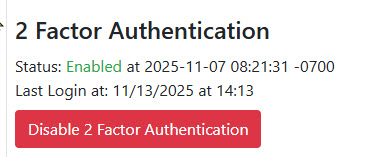
Scroll to the bottom of the user file and select Disable 2 Factor Authentication.
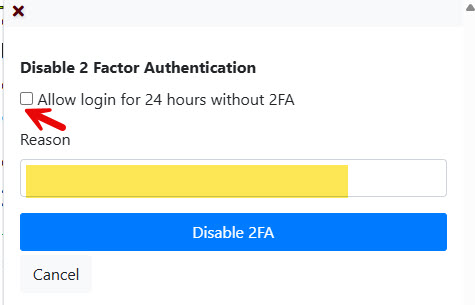
- To disable 2FA for 24 hours only, select the checkbox.
- Otherwise, enter the reason the 2FA needs to be disabled and click Disable 2FA.
Once disabled, the user will be prompted to re‑link their 2FA the next time they log in.